📌 Editor B's 3-Line Summary
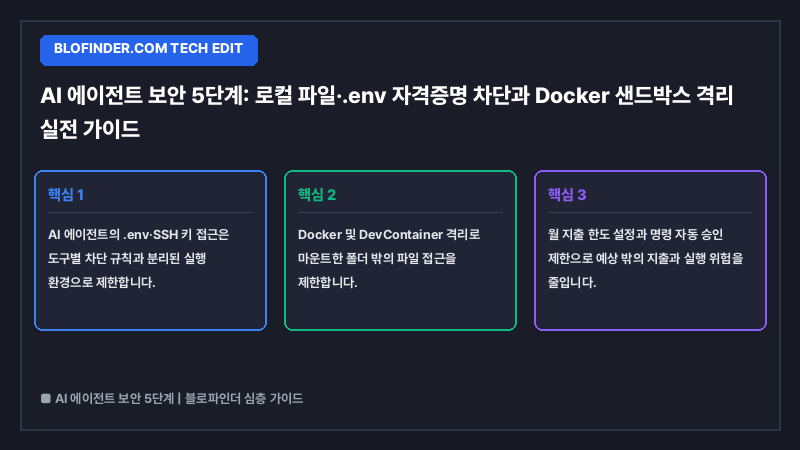
- AI 에이전트의 .env·SSH 키 접근은 도구별 차단 규칙과 분리된 실행 환경으로 제한합니다.
- Docker 및 DevContainer 격리로 마운트한 폴더 밖의 파일 접근을 제한합니다.
- 월 지출 한도 설정과 명령 자동 승인 제한으로 예상 밖의 지출과 실행 위험을 줄입니다.
Security Threats to Autonomous AI Agents and 5 Levels of Control
Autonomous AI agents such as Claude Code, Cursor Agent, MCP (Model Context Protocol)-based tools, and OpenAI Operator have become a core element of development workflows. However, if agents are granted unlimited access to the local file system and shell execution permissions, internal sensitive files may be corrupted due to Indirect Prompt Injection attacks or leaked external text input, or .env There is a risk that API keys and SSH private keys within the file will be transmitted to an external server.
To prevent this, you must apply a 5-step security setting framework that separates the local host environment from the agent execution environment. Stability is ensured by sequentially configuring file read/write permissions, blocking sensitive credentials, Docker/DevContainer-based L3 sandbox isolation, API Spend Cap settings, and execution command approval whitelist policies.
[Correction 2026-11-28] .env 차단 설정, Docker 실행 명령과 네트워크 설명, 파일 권한과 격리 효과, API 지출 한도 안내에 사실과 다른 내용이 있어 바로잡았습니다. 근거 없는 성능 수치와 잘린 흐름 이미지는 삭제했습니다.
Step 1: Separate local file system permissions and block access to sensitive directories
A parent directory other than the project directory where the agent is working (~/.ssh, ~/.aws, ~/.configAccess must be restricted. Perform privilege isolation that limits the root path of the agent execution process.
- POSIX 파일 권한:
chmod 700 ~/.ssh와chmod 600 ~/.ssh/id_rsa는 다른 사용자의 접근만 막습니다. 같은 사용자로 실행한 에이전트는 이 파일을 읽을 수 있으므로, 에이전트를 차단하려면 별도 사용자 계정이나 컨테이너에서 실행하세요. - .env 및 자격 증명 파일 차단: Claude Code는
.claude/settings.json의permissions.deny에"Read(./.env)","Read(./.env.*)"를 추가합니다. 셸에서 실행한 스크립트처럼 간접적으로 읽는 경우는 막지 못합니다. Cursor는.cursorignore파일을 사용하며, 터미널과 MCP 도구의 접근은 차단되지 않습니다..gitignore는 Git 추적에서 제외할 뿐 접근 차단 수단이 아닙니다. - Apply OS Sandbox Profile (macOS sandbox-exec / Linux Landlock): In the macOS environment
sandbox-execUsing , the agent process in a path other than the specified working folderfile-read-dataorfile-write-data요청을 보낼 경우 OS 차원에서 즉시 차단하도록 정책을 정의합니다.
Step 2: MCP Sandboxing and Browser Automation Permission Separation
The MCP (Model Context Protocol) server is a standard specification that connects local files, databases, and web browsers to an agent. If the MCP server has excessive privileges, browser session cookies or OAuth tokens may be exposed.
When using an MCP for web browser control (Puppeteer, Playwright MCP, etc.), isolated from the main browser profile Debugging-only secret profileYou must specify the Chrome launch options. --user-data-dir=/tmp/agent-chrome-profile 및 --no-default-browser-check Control access to the user's existing login sessions and stored password/card information by assigning a flag.
Also, the MCP JSON configuration file (mcp_config.jsonMinimizes the range of executable tools in ). File deletion (delete_file), execute shell command(execute_commandHigh-risk methods such as ) are disabled by default, and simple query(read_file, search_codeApply the Principle of Least Privilege, which explicitly allows only the ) method.
Step 3: Build a Docker and DevContainer-based Sandbox Environment
에이전트를 호스트에서 직접 실행하지 않고 Docker 컨테이너나 VS Code DevContainer 안에서 실행하면 호스트 파일에 접근하는 범위를 좁힐 수 있습니다. 다만 컨테이너에 마운트한 폴더의 파일은 에이전트가 읽고 바꿀 수 있으므로, 그 폴더에는 .env 같은 비밀 정보를 두지 마세요.
The specific container isolation execution parameters are as follows: provide only the host code folder as a read/write bind mount, and set the root file system to read-only.
docker run --rm -it \
  --read-only \
  --tmpfs /tmp:exec,mode=1777 \
  -v "$(pwd):/workspace:rw" \
  --workdir /workspace \
  --cap-drop=ALL \
  --security-opt no-new-privileges:true \
  node:22-alpine sh
Explanation of the above command options:
--read-only: Prevents system file corruption and the installation of malicious binaries by prohibiting changes to the root file system inside the container.--cap-drop=ALL: Blocks privilege escalation attacks by removing all Linux kernel capabilities (SYS_ADMIN, NET_ADMIN, etc.).--security-opt no-new-privileges:true: Prevents process privilege acquisition through the setuid/setgid bits.- 네트워크: 컨테이너는 기본적으로 외부에 접속할 수 있습니다. 특정 API만 허용하려면 별도의 프록시나 방화벽 규칙이 필요하며,
--network noneIna--internal네트워크를 쓰면 외부 API 호출까지 막힙니다.
Step 4: Hard Capping API Spend Cap and Rate Limit
Significant financial losses occur if an AI agent falls into an infinite loop or induces massive token consumption through malicious prompt injection. Therefore, double-spending controls must be established at both the API provider platform level and the local proxy level.
- 플랫폼 월 지출 한도: OpenAI는 조직·프로젝트, Anthropic은 조직·워크스페이스 단위로 월 지출 한도를 설정합니다. OpenAI는 한도 설정에서 ‘Enforce a hard limit’을 켜야 요청이 차단되며, 알림만으로는 멈추지 않습니다.
- Minimize API Key Scopes: You must not enter an Admin API Key with organization-wide permissions into the agent. Issue and use a Restricted API Key that allows only Model Endpoints and excludes Fine-tuning, Billing, and Member Management permissions.
- Local Proxy-Based Token Gateway: Deploy an open-source API gateway locally, such as LiteLLM or Portkey, to limit requests per minute (RPM) and the maximum number of input/output tokens per request (Max Tokens). For example, a Single Request
max_tokensLimit to 4,096 to prevent the generation of large code dumps in advance.
Step 5: Blocking Command Auto-Approve and Whitelisting Policies
Many agent CLI tools provide an Auto-Approve (Y-flag) mode to improve productivity. However, automatic approval of shell commands creates serious security vulnerabilities.
For safe agent operation Risk-based command whitelistIntroduces. Read-only parse command(git status, git diff, npm test, cargo checkEven if registered in the automatic approval list, commands that change the system state or transmit data externally are configured to require explicit Y/N input from the user.
아래는 개념을 보여주는 가상의 예시이며 특정 도구의 설정 파일이 아닙니다. 실제 설정 형식은 사용하는 도구의 공식 문서를 확인하세요.
// Agent security policy configuration example (policy.json) { "auto_approve": [ "^git status$", "^git log", "^npm test$", "^ls -la" ], "strict_deny": [ "^rm -rf", "^curl ", "^wget ", "sudo ", "chmod ", "\.env" ], "require_confirmation": ["*"] }예시의 strict_deny처럼 위험한 패턴은 실행하지 않고 기록을 남기도록, 사용하는 도구의 거부 규칙에 등록합니다.
AI Agent Security Layer and Solution Comparison Table
| security layer | Applicability and Solutions | Defensive threats | Construction difficulty |
|---|---|---|---|
| L1 file permissions | 도구별 거부 규칙 / .cursorignore | .Leakage of .env and sensitive credential files reading | commonly |
| L2 MCP Sandbox | MCP Config / Secret Profile | Browser session token and cookie theft | commonly |
| L3 container isolation | Docker / DevContainer | 마운트하지 않은 호스트 파일 접근 | height |
| L4 API Spend Cap | OpenAI / Anthropic 월 지출 한도 | Infinite loop and prompt injection cost bomb | facility |
| L5 command approval | Policy Whitelist / CLI Interceptor | Unauthorized execution of destructive shell commands (rm, sudo) | commonly |
💡 Editor B's Recommended Setting Combinations by Usage Environment
- Individual Developers and Small Projects: I recommend L1 (blocking .env) + L4 (setting API Hard Limit to $20) + L5 (maintaining default shell approval). This can be applied quickly without installing additional programs.
- Working with enterprise production codebases: We strongly recommend applying L3 (DevContainer-based isolated development environment) + L4 (Restricted API Key issuance) + L5 (Strict Deny pattern policy).
- 💡 When using a web browsing agent: When running the MCP server, you must
--user-data-dir=/tmp/isolated-profileGrant options to physically separate it from the main browser account.
🔗 Reference Sources
- [Anthropic] Claude Code CLI and Agent Security Permissions Guide
- [Docker] Docker Engine Container Security & Isolation Guidelines
- [OpenAI] Production Best Practices & Rate Limit / Hard Limit Setup
- [Model Context Protocol] MCP Specification & Security Architecture
💡 Frequently Asked Questions (FAQ)
Q1: Can adding .env files to .gitignore alone completely prevent the leakage of AI agents?
아닙니다. .gitignore는 Git 버전 관리 대상에서 제외할 뿐, 로컬에서 실행되는 AI 에이전트 프로세스가 파일 시스템 전체 검색(glob search)을 수행할 경우 .env 내용을 읽을 수 있습니다. 따라서 Claude Code의 permissions.deny 규칙이나 Cursor의 .cursorignore 같은 도구별 차단 설정을 별도로 등록하고(간접 접근까지 막지는 못합니다), 핵심 민감 정보는 시스템 환경변수(Environment Variables)로 주입하는 방식이 안전합니다.
Q2: Doesn't running an AI agent inside a Docker container cause significant performance degradation?
성능 영향은 운영체제와 파일 마운트 방식, 작업 내용에 따라 다릅니다. 사용하는 환경에서 직접 확인하세요.
Q3: What happens to agent work in progress if the API Spend Cap is reached?
한도에 도달하면 요청이 오류(제공사와 한도 종류에 따라 400 또는 429 등)로 거절되어 에이전트 작업이 중단될 수 있습니다. 파일 수정 중에 멈출 수 있으므로 작업 전에 git commit을 해 두세요.