📌 Editor B's 3-Line Summary
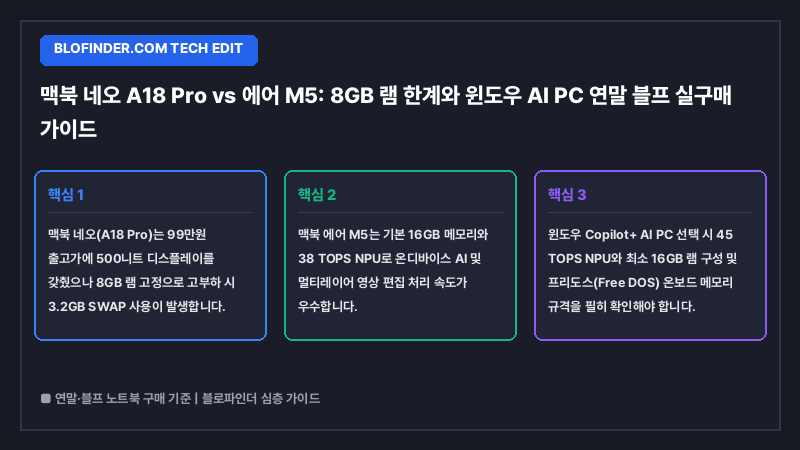
- The MacBook Neo (A18 Pro) features a 500-nit display at a launch price of 990,000 won, but with 8GB of RAM fixed, 3.2GB of swapping occurs under heavy load.
- The MacBook Air M5 offers excellent on-device AI and multi-layer video editing processing speeds with 16GB of base memory and a 38 TOPS NPU.
- When selecting a Windows Copilot+ AI PC, you must verify the 45 TOPS NPU, a minimum 16GB RAM configuration, and Free DOS onboard memory specifications.
1. The Year-End Laptop Market Amidst AI-Flation: The Landscape of MacBook Neo, M5 Air, and Windows AI PCs
Entering the 2026 year-end Black Friday and year-end discount season, the laptop market is facing two massive trends: rising memory semiconductor prices (AI-flation) and the advancement of on-device AI technology. A laptop in the 990,000 won range released in March 2026 MacBook NeoIt has significantly shaken up the budget market and is firmly holding down the lineup for the second half of the year. MacBook Air M5, and armed with NPU computational performance of over 45 TOPS Windows Copilot+ AI PC The corps is engaged in a fierce competition for the initiative.
At the heart of the purchasing decision are undoubtedly the load limits of Unified Memory and the performance of the NPU (Neural Network Processing Unit) for on-device AI processing. As the number of consumers who regret purchasing a device lured by the price tag only to hit a wall with the 8GB onboard RAM, or who belatedly discover the inability to expand RAM on Windows FreeDOS products, thorough specification verification is essential.
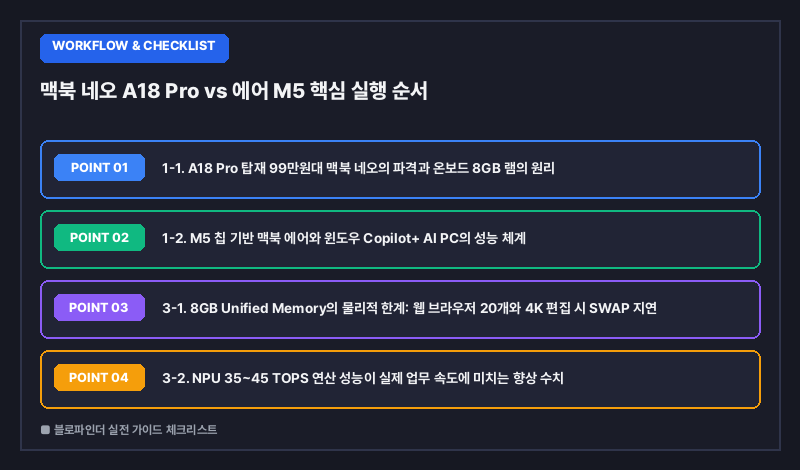
1-1. The Radical Move of the A18 Pro-Equipped MacBook Neo in the 990,000 Won Range and the Principle of the 8GB Onboard RAM
The MacBook Neo is equipped with the A18 Pro chipset (6-core CPU, 5-core GPU, 16-core NPU) manufactured using TSMC's 3nm (N3E) process and features a fanless design weighing 1.23kg. The 13-inch Liquid Retina display offers 500 nits of brightness and boasts unrivaled value for money at 990,000 won (around 800,000 won with educational discounts applied). However, since it comes with a fixed specification of 8GB LPDDR5X memory, it is a typical onboard structure where changing RAM options or upgrading after purchase is completely impossible.

1-2. Performance Systems of M5 Chip-Based MacBook Air and Windows Copilot+ AI PC
The MacBook Air M5 comes standard with 16GB of integrated memory and supports a high level of parallel multitasking alongside a 38 TOPS NPU. On the other hand, Windows Copilot+ PCs based on Snapdragon X 2nd Gen and Intel Lunar Lake perfectly execute the latest Windows 11 on-device features, such as real-time translation, subtitle generation, and local image creation, backed by 45 TOPS NPU performance.
2. MacBook Neo (A18 Pro) vs. MacBook Air M5 vs. Windows Copilot+ PC Specs and Actual Benchmark Comparison
This is standard data comparing the specific specifications of the three major platforms, actual Geekbench 6 computational metrics, and battery life using objective quantitative figures.
| Comparison items | MacBook Neo (A18 Pro) | MacBook Air M5 | Windows Copilot+ AI PC |
|---|---|---|---|
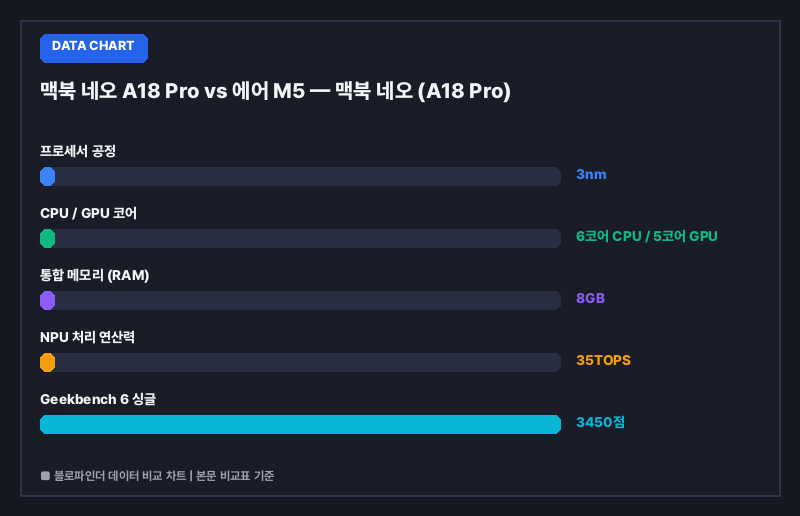
| processor process | TSMC 3nm N3E (A18 Pro) | TSMC 3nm N3P (M5) | TSMC 3nm / 4nm mixed |
| CPU / GPU cores | 6-core CPU / 5-core GPU | 10-core CPU / 10-core GPU | 12-core CPU / 8-core GPU |
| Integrated memory (RAM) | 8GB LPDDR5X (Fixed) | 16GB / 24GB LPDDR5X | 16GB / 32GB LPDDR5X |
| NPU processing power | 35 TOPS (16-core NPU) | 38 TOPS (16-core NPU) | 45 TOPS or more (Copilot+) |
| Geekbench 6 Single | 3,450 points | 4,120 points | 2,950 points |
| Geekbench 6 Multi | 8,600 points | 15,400 points | 13,800 points |
| Display brightness | 13.0 inch 500 nits | 13.6 inch 500 nits | 14.0 inch 500 nits |
| Battery SOT (Actual Measurement) | About 16 hours and 30 minutes | Approximately 18 hours 00 minutes | About 14 hours and 30 minutes |
| Domestic official release price | MacBook Neo 990,000 won | MacBook Air M5 1,590,000 won | Copilot+ PC 1,390,000 won |
3. The Real-World Boundaries Divided by Integrated Memory and NPU Performance: 3 Key Checklists
3-1. Physical Limitations of 8GB Unified Memory: SWAP Lag with 20 Web Browsers and 4K Editing
While the performance of the Apple A18 Pro chipset itself is excellent, the 8GB of onboard RAM can cause severe bottlenecks. Running the 4K Final Cut Pro video editing program while having 20 Chrome browser tabs open exceeds the physical RAM capacity. At this point, the system triggers a swap phenomenon that utilizes the SSD area as temporary memory, and momentary performance degradation was measured during the process of reallocating approximately 3.2GB of swapped data to the NVMe SSD.
3-2. Improvement figures on actual work speed from NPU 35~45 TOPS computational performance
The NPU (Neural Network Processing Unit) significantly reduces the load on the Simple Central Processing Unit (CPU). The 45 TOPS NPU in the Windows Copilot+ AI PC and the 38 TOPS NPU in the MacBook Air M5 keep CPU utilization at 12% or lower—down from the previous 65%—during on-device AI noise reduction, real-time audio-to-text transcription, and matting processing. This results in reduced fan noise and approximately 18% less battery consumption per hour.
3-3. Risk Factors Inability to Upgrade Windows Free DOS and Onboard LPDDR5X Memory
When purchasing Windows Free DOS products with significant discounts during the Black Friday period, you must check memory expansion capabilities. Recently released ultra-slim AI PCs utilize the BGA method, which solders LPDDR5X memory chips directly to the motherboard, making it impossible to upgrade via additional RAM slots after purchase. If you purchase an 8GB Free DOS model solely because it is cheap, there is a high risk of facing insufficient system performance within a few years.
4. 3 Selection Strategies for Real Buyers in 2026 Year-End & Black Friday
4-1. Light Users & Students: Maximize Value for Money with the 990,000 Won MacBook Neo (A18 Pro)
For students or office workers whose primary tasks are document creation, watching 4K YouTube, web surfing, and editing basic Reels/Shorts, the 990,000 won MacBook Neo is the best choice. Its lightweight 1.23kg design, fanless noise-free environment, and 500-nit screen brightness provide unrivaled quality in this price range.
4-2. Creators & Developers: Why MacBook Air M5 (16GB/24GB) or higher is recommended
Power users considering Final Cut Pro multi-track editing, Xcode app compilation, and local Large Language Model (LLM) execution should choose the MacBook Air M5 with 16GB of integrated memory as standard. The 10-core GPU and large amount of memory keep the swap rate close to 0%, ensuring top-tier computational speeds.
4-3. Windows Essential Environment Users: Essential 16GB RAM Guide for Copilot+ AI PC Purchase
Users who wish to experience local AI features while working in public institutions, handling HWP documents, or in MS Office-based corporate environments should select a Copilot+ AI PC equipped with at least 16GB of LPDDR5X RAM. When purchasing a FreeDOS discounted item, you must cross-verify the cost of a genuine Windows 11 license and whether it comes with at least 16GB of base RAM.
💡 Editor B's Real-World Matching Guide
👍 Highly recommended for people like this:
- College students looking for excellent build quality and over 16 hours of battery life on a budget under 1 million won (MacBook Neo recommended)
- Power users who edit videos, build local AI models, and operate multi-virtualization environments (MacBook Air M5 recommended)
- Office workers for whom Windows OS-exclusive software and real-time AI subtitle/translation tasks are essential (Copilot+ AI PC recommended)
💡 We recommend alternatives or approaches for people like this:
- Users expecting 8K video editing or heavy 3D graphics work on the MacBook Neo (memory SWAP limitations occur)
- Users who purchased a Windows AI PC 8GB FreeDOS model and plan to add RAM themselves in the future (cannot add via onboard RAM)
💡 Editor B's One-line Review
“The 990,000 won MacBook Neo offers brilliant value for money, but the limitations of its 8GB RAM are clear. Setting the 16GB RAM threshold based on whether your usage is for light tasks or heavy computing is the key to winning the 2026 year-end Black Friday.”
🔗 Reference Sources
- [Apple Newsroom] Official Hardware Product Specifications and Process Specifications for MacBook Neo and M5 Processors
- [TSMC Official Press] TSMC Advanced 3nm (N3E/N3P) Process Technology Specifications
- [Qualcomm Press Center] Snapdragon X Series Copilot+ NPU Computation Benchmark Guidelines
- [Microsoft Windows Blog] Copilot+ PC On-Device AI Requirements and Windows 11 Guide
- [Geekbench Browser] Processor Single-Core and Multi-Core Benchmark Database
💡 Frequently Asked Questions (FAQ)
Q1. Does the MacBook Neo's 8GB of RAM provide the same performance as a standard Windows laptop's 16GB of RAM?
A. Apple's Unified Memory is highly efficient because the CPU and GPU directly share RAM, but it cannot eliminate the physical 8GB capacity limit itself. Since swapping occurs during large-scale graphics tasks or when more than 20 browser tabs are open, it cannot be definitively concluded that it is one-to-one equivalent to Windows' 16GB RAM.
Q2. If the NPU TOPS score on a Windows Copilot+ AI PC is high, is the laptop actually faster and smoother?
A. The higher the TOPS score, the more dedicated AI-related computations (such as video conferencing background processing, real-time subtitle generation, and image style conversion) are handled instead of the CPU, significantly improving multitasking performance and battery efficiency. However, it does not directly increase the execution speed of general web browsing or document creation applications.
Q3. What should I check when purchasing a Free DOS laptop during the Black Friday sale?
A. FreeDOS models do not include an operating system, so you must consider the additional cost of purchasing a genuine Windows 11 license (approximately 170,000 to 190,000 KRW). Additionally, since the latest on-device AI laptops have LPDDR5X memory soldered onto the board, it is absolutely impossible to upgrade the RAM after purchase; therefore, you must choose a model with at least 16GB of RAM initially.
※ This content is a tech life guide post personally planned and verified by the BloFinder editor team. We deliver useful tech tips every day for your smart digital life.